


CA-2890BT
USB and Bluetooth Speaker Bar with Integrated Monitor Mount
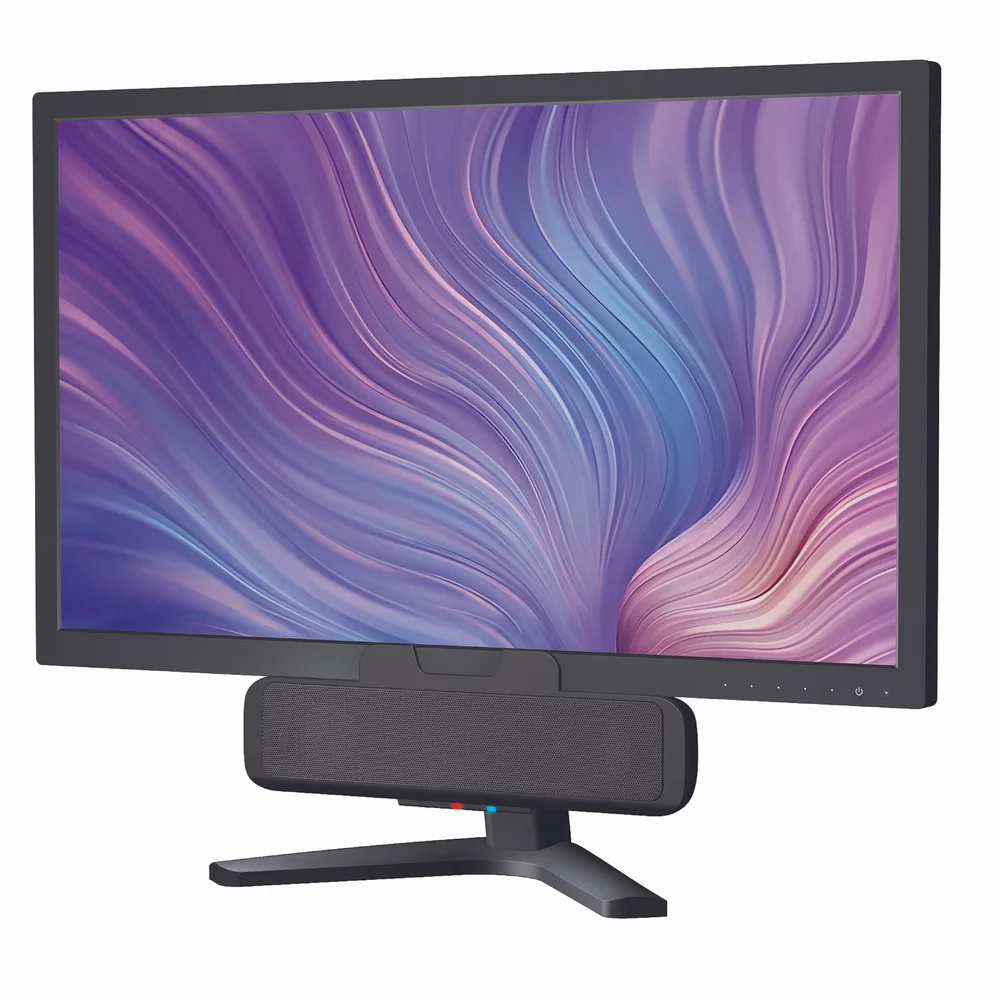
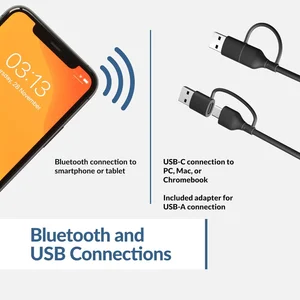
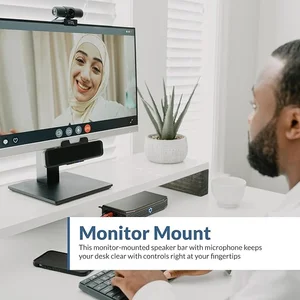
USB Powered Speaker with Bluetooth – Connection to PC, Mac or Chromebook with a single USB cable and simultaneously connect to your smartphone with Bluetooth 5.0. No need to take up valuable workspace, speaker conveniently attaches to the bottom of your monitor with easily accessible controls that include a multi-function button for simple switching between USB and Bluetooth, play/pause, volume up and down, and mic mute with LED indicator.
USB Powered Speaker with Bluetooth
Connection to PC, Mac or Chromebook with a single USB cable and simultaneously connect to your smartphone with Bluetooth 5.0. No need to take up valuable workspace, speaker conveniently attaches to the bottom of your monitor with easily accessible controls that include a multi-function button for simple switching between USB and Bluetooth, play/pause, volume up and down, and mic mute with LED indicator.
Multi-Purpose Use
The CA-2890BT offers simultaneous connection to PC or Mac via USB and to smartphones via Bluetooth, making it flexible for hands-free calls on your phone, or for meetings on Zoom, Teams, Google Meet, Skype, or any other chat platform. Switching between USB and Bluetooth is simple and can be done with the push of a button. A great way to give your ears a break from headphones.
Surprisingly Loud Sound
Also great for music or movies, this small speaker is an audio upgrade that produces surprisingly loud sound via a unique design that lifts and projects sound forward for a better stereo experience.
Easy to Use
Ideal for small desks or minimalist setups the CA-2890BT is plug-and-play, no installation needed. Included USB A to USB C converter for your convenience to connect to newer laptops with limited or no USB A ports.
Included in the Box
Includes – Cyber Acoustics CA-2890BT USB Speaker, USB-A to USB-C Adapter and User Guide. Includes 1 year warranty.

Specifications
Dual 1.5" Stereo
USB & Bluetooth
USB
5.0
Multi-Function Button (USB/BT switch, play/pause)
Volume Up/Down
Mic Mute with LED indicator
Volume Up/Down
Mic Mute with LED indicator
PC, Mac, Tablet, & Phone
Questions about Bluetooth USB PC Speakers
Can this speaker be mounted to a monitor or used on a desk?
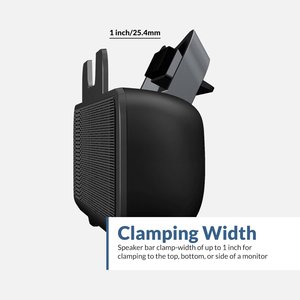
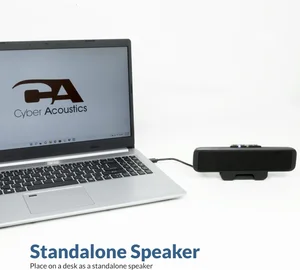
Yes. The CA-2890BT has an integrated monitor mount and can be mounted to the top or bottom of a monitor, or placed on a desk or table.
Does this speaker have a 3.5mm connection?
No. The CA-2890BT connects via USB and Bluetooth.
Does the CA-2890BT require batteries or a power adapter?
No. The CA-2890BT is powered through its USB connection and has no battery, so it is ready whenever your computer is on.
How do I connect the CA-2890BT to a USB-C port?
Plug the speaker's USB-A connector into the included USB-A to USB-C adapter, then plug that into a USB-C port on your computer or compatible device.
How do I switch between USB and Bluetooth mode?
Press the Multi-Function Button two times to switch between USB mode and Bluetooth mode. The Source Light is green in USB mode and blue in Bluetooth mode.
Can I use it with my smartphone to take calls?
Yes. Pair it to your phone over Bluetooth, then press the Multi-Function Button once to answer or end a call. If the speaker is in USB mode when a call comes in, it automatically switches to Bluetooth, and music pauses for the incoming call.
Can it connect to more than one Bluetooth device at a time?
No. The CA-2890BT connects to one Bluetooth device at a time. To pair a different device, press and hold the Multi-Function Button for 5 seconds to disconnect the current device, then pair the new one.
What is the Bluetooth range?
Your device should be within about 10 unobstructed meters of the speaker to pair and connect reliably. If you have trouble connecting, move the device closer.
The left and right speakers sound reversed. How do I swap the channels?
Press and hold the Multi-Function and Volume + buttons for 2 seconds to swap the left and right audio channels. This is useful when the speaker bar is mounted on the bottom of a monitor.
Can you control the lights (red, blue, or green) on the speaker?
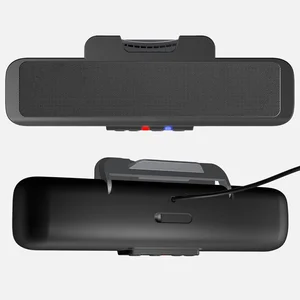
The LEDs have set functions. The Source Light is solid green in USB mode and solid blue when connected over Bluetooth, and flashes blue while pairing. The Call / Microphone indicator turns solid red when your microphone is muted.
Can I use the CA-2890BT with a TV or gaming console?
No. The CA-2890BT will not work with TVs or gaming systems. Bluetooth delay can also cause audio to be out of sync with on-screen action.
Why am I experiencing poor mic performance?
A common reason for poor mic performance is another device being set as the input, such as a desk mic or webcam microphone. Please double-check your input settings and verify that CA-2890BT is selected as your input device.