




AC-5002 3.5mm Headset
Durable Headset Ideal for Grades K-12
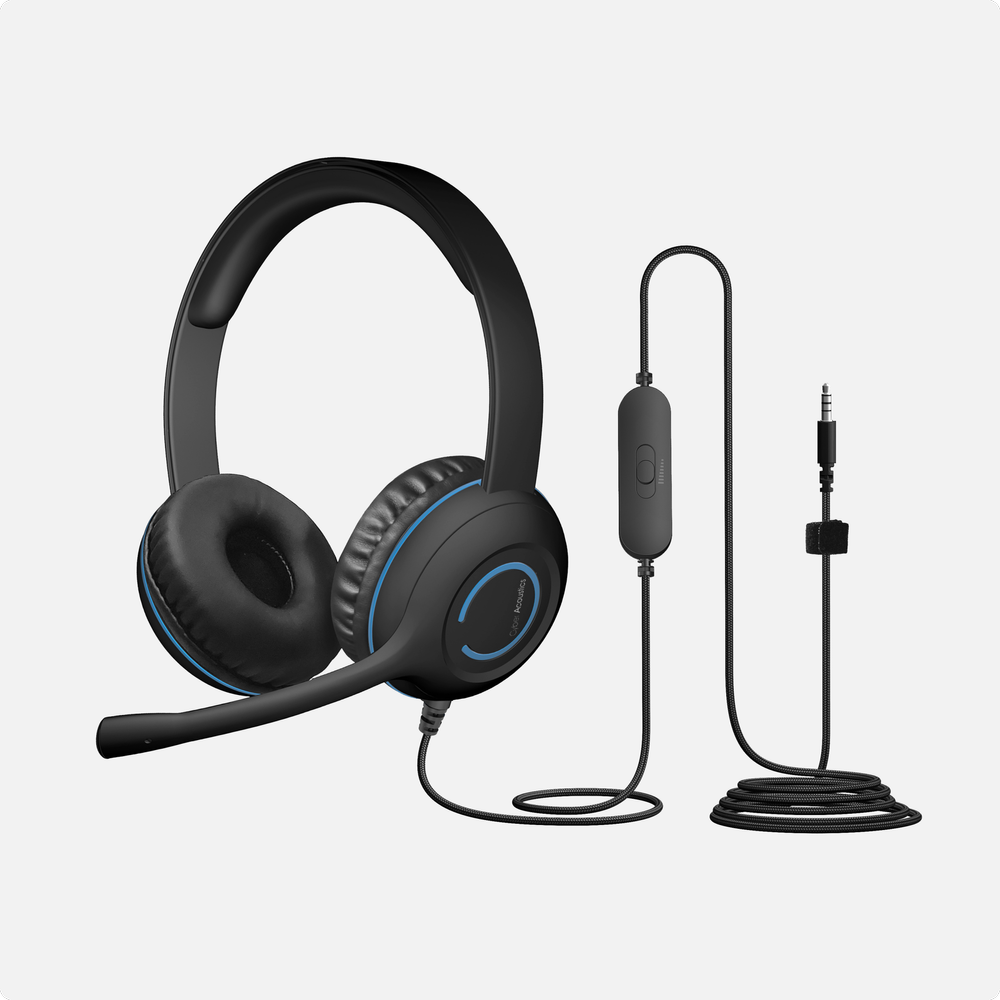
The AC-5002 3.5mm headset is ideal for grades K-12. It features durable construction, double-stitched earcups, a sturdy headband, braided TuffCord, easy-to-clean cushions, and in-line volume controls-built to handle tough classrooms.
Simple Plug and Play
Simple plug and play 3.5mm headset connects to any 3.5mm device, no installation or software needed
Tangle-Free TuffCord
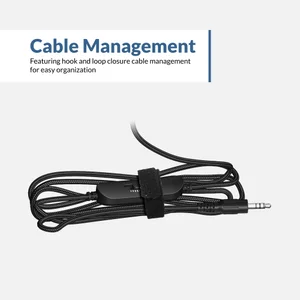
Our tangle free nylon braided TuffCord cable can be coiled, twisted, or chewed without sacrificing performance. It also includes a built-in loop closure for cord management when not in use
Durable and Versatile
The AC-5002 features an adjustable headband with easy to clean round leatherette earpads that accommodates most head sizes. Our rotating boom microphone allows for optimal placement for clear voice communications and can be worn on either side
Reinforced 3.5mm Connection
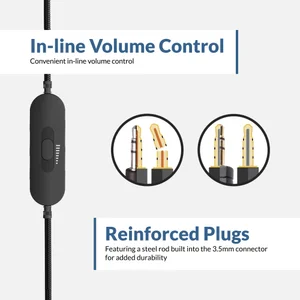
The AC-5002 3.5mm connector has a steel rod in its core for added durability
Reinforced 3.5mm Connection
The AC-5002 3.5mm connector has a steel rod in its core for added durability
Sustainability
The AC-5002 is made from 50% recycled plastic
What This Product Includes
Includes Cyber Acoustics AC-5002 headset, hook and loop closure for cable management, reusable storage bag, and user guide

Specifications
Headset: 20–20KHz
Microphone: 100–16KHz
Microphone: 100–16KHz
3.5mm plug
Padded, over the head, and adjustable
-62 dBV Microbar
-42 dBV Pascal
-42 dBV Pascal
32mm
32 Ohms
2200 Ohms
6 feet
3.5mm equipped devices
Yes / No
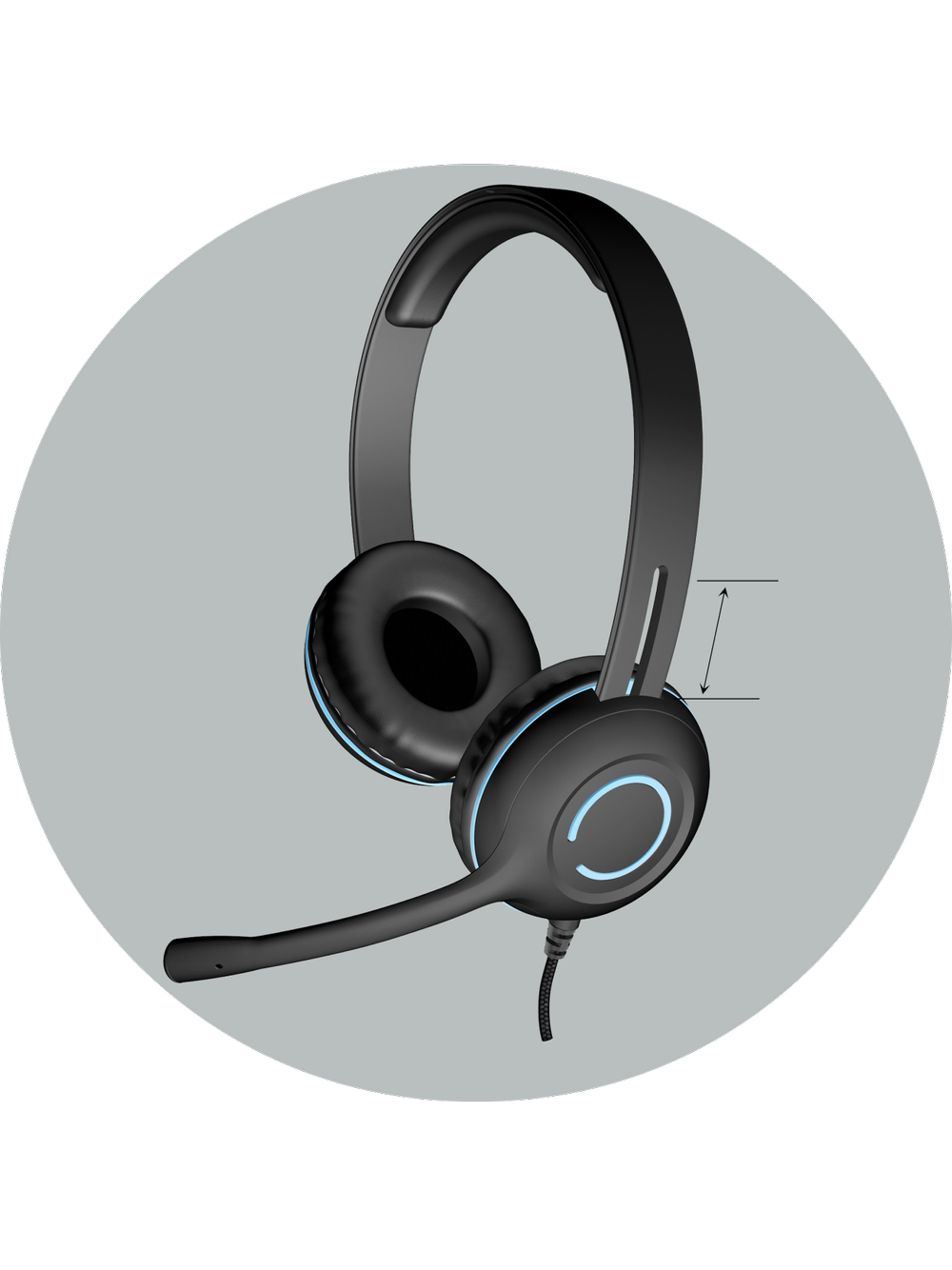
Ideal for K-12
Adjustable headband and earcups ideal for K-12 students

Extended Cable Length
With 6ft of cable length, students can move more freely without pulling on the cable or disconnecting their headset
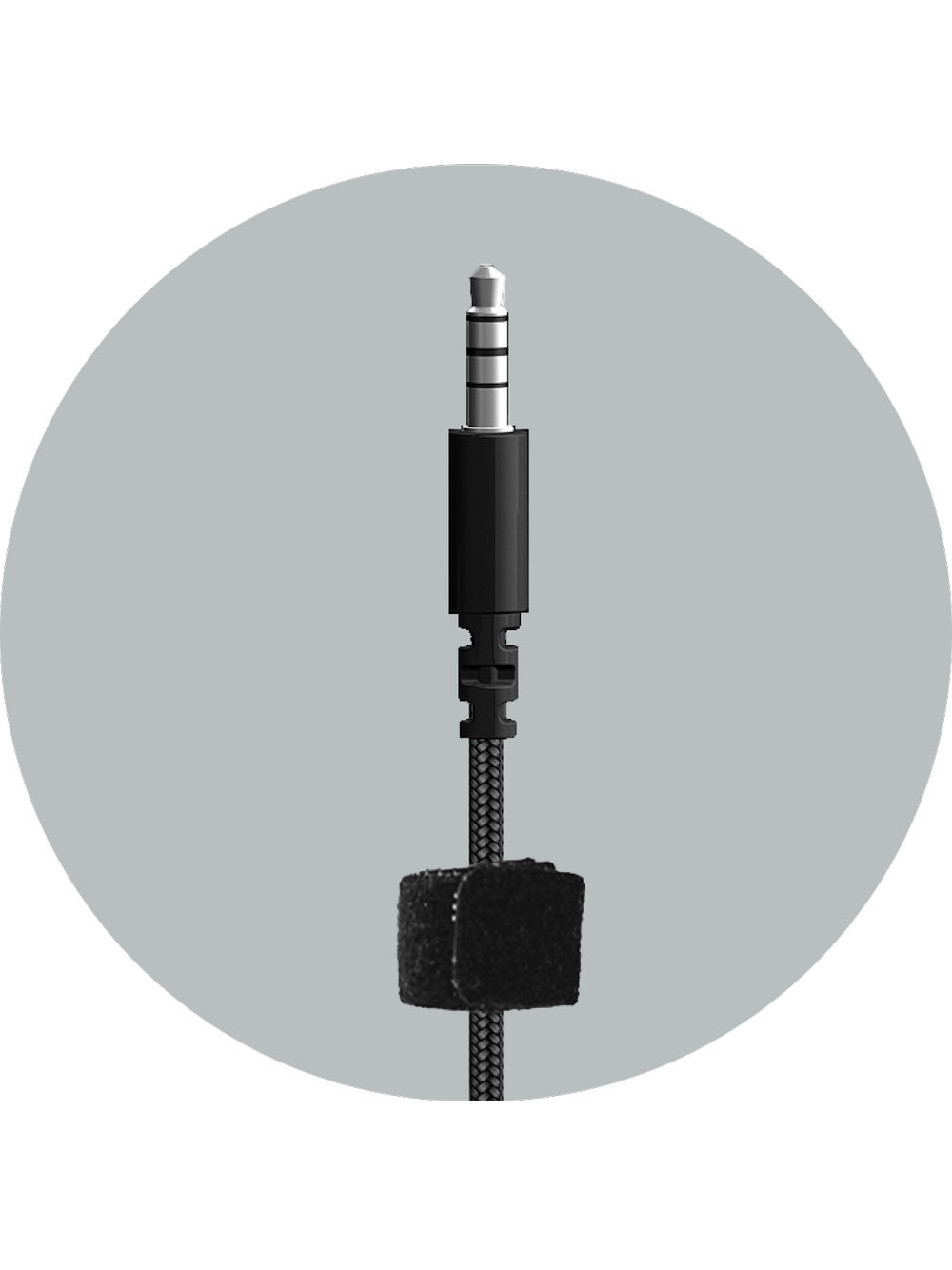
Reinforced 3.5mm Plugs
Featuring a steel rod built into the connector for added durability
This Headset is Made with 50% Recycled Plastic
We reduce our carbon footprint by incorporating recycled materials into our headsets, using minimal and efficient packaging to cut down on transportation emissions, and reducing paper waste by eliminating unnecessary inserts.
Sustainability InitiativesFAQs
Why is this headset in a bag?
We use reusable, resealable, and recyclable poly bags for this headset. The poly bag reduces single-use plastics in packaging and is perfect for storing the headset when not in use.
Does this headset need drivers or software?
No. This is a simple plug and play 3.5mm headset that connects to any 3.5mm device, with no installation or software needed.
I only hear sound in one earcup. What’s wrong?
Make sure the 3.5mm jack is pressed all the way into the audio jack on your computer. If it is not fully inserted, only one of the earcups will produce sound and there will be no sound on the other.
My computer has more than one audio jack. Which one do I use?
Many laptops and computers have both a headset jack and an Aux In / Line In jack. Connect the headset to the headset jack. If there is no text describing the two jacks, there is usually an icon next to each one: the icon with the arrow pointing away from the jack is the headset jack, and the icon with the arrow pointing toward the jack is the Aux In / Line In jack.
My desktop has separate green and pink jacks. Will this headset work?
Desktop computers often have separate jacks for the headphone and microphone instead of the combined jack found on laptops. The headphone jack is color coded green and the microphone jack is color coded pink. A Y-adapter is needed so both the headphones and the microphone will function. If you need a Y-adapter, contact our customer service at cyberacoustics.com.
My laptop asked me what I plugged in. What should I select?
Depending on the manufacturer of your laptop, a utility may prompt you to select what device was plugged into the audio jack. Select “Headset” in that utility. This enables both the headphone and the microphone on the computer.
There is no sound or the microphone is not working.
Make sure the headset is enabled in the sound settings on your Windows computer. Open Settings, select System (Display, sound, notifications, power), then select Sound.
- Under “Choose your output device,” select the device that begins with “Headphones” or “Realtek High Definition Audio.”
- Under “Choose your input device,” select the device that begins with “Jack Mic” or “Microphone Array.”
- When finished, click “Apply” then “OK.”
The volume is too low. How do I fix it?
Click the sound icon in the bottom right of your screen and confirm the Headphone device is selected and the system volume is turned up to around 50 percent. Then make sure the in-line volume control on the headset is also turned up to around 50 percent. We recommend setting the system volume higher and using the in-line control to fine-tune from there. Some applications have their own volume setting as well, so turn that up first, then adjust the system and headset volume.
Why can’t I hear myself when I talk?
These headsets do not monitor the microphone input into the headset audio output. Monitoring playback can typically be achieved in computer settings.
What kind of audio jack does my computer need?
This headset is for computer systems with a 4 barrel CTIA compatible audio jack. Computers with separate headphone and microphone jacks need a Y-adapter.
How do I adjust the headset to fit?
The headset has an adjustable headband that fits different head sizes. To adjust it, pull the headband and earcup apart on each side until the headset is at the desired fit.
Is this a good headset for work?
This headset is designed with the classroom setting in mind and is ideally suited for K-5 head sizes.
What are the audio specifications?
Frequency response is 20 to 20,000Hz for the headset and 100 to 16,000Hz for the microphone. Impedance is 32 ohms for the headset and 2.2k ohms for the microphone. Sensitivity is -62dBV per microbar and -42dBV per Pascal, plus or minus 4dB. The headset is rated for use at ambient temperatures from 0 to 35 degrees Celsius.
How should I care for the headset?
Protect the headset from being pinched, particularly at the connectors. Keep it away from heat sources such as radiators, heat registers, and stoves, and away from open flame. Do not expose it to excessive heat, including storage in direct sunlight, and do not make alterations to the headset.