


AC-204ENC II
USB Headset with ENC and In-Line Controls
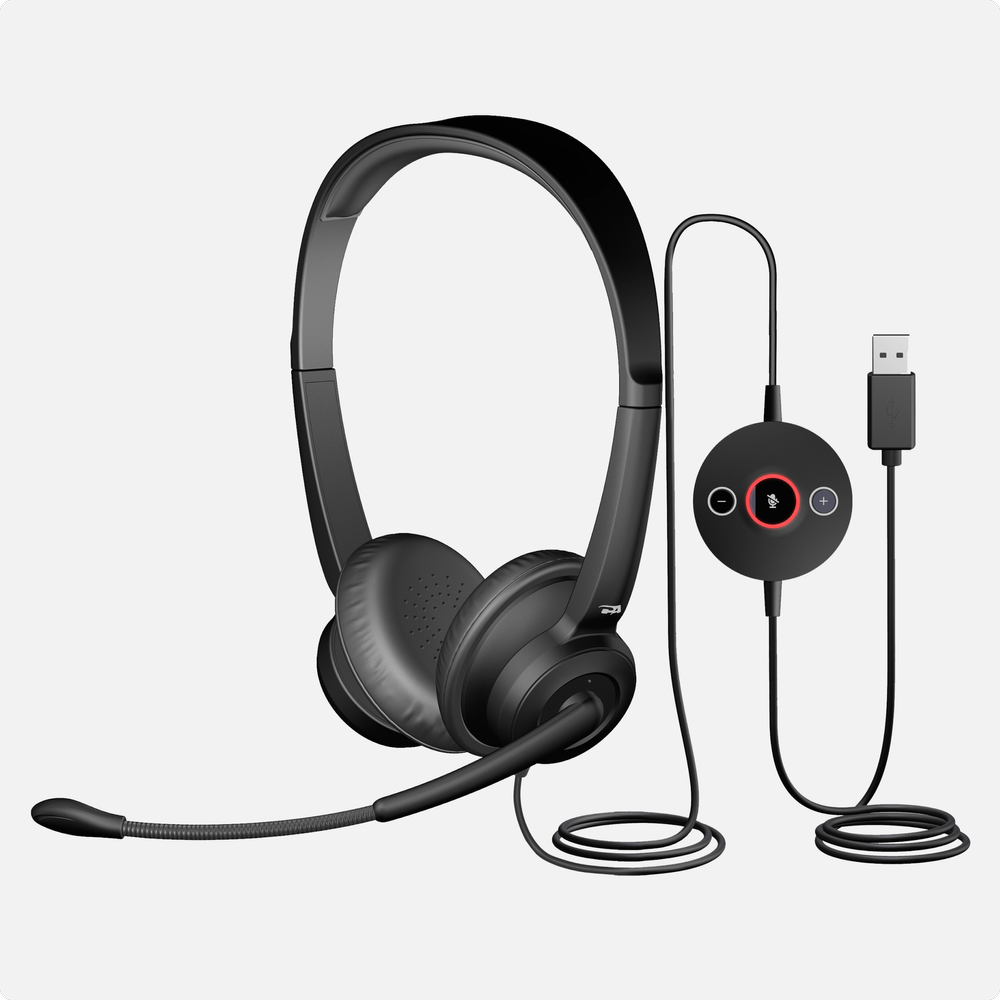
The AC-204ENC II is a stereo USB-A environmental noise-canceling headset built for call centers and hybrid work.
Leatherette Earpad Option - Model: AC-204ENC II
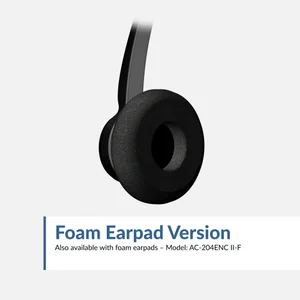
Foam Earpad Option - Model: AC-204ENC II-F
Superior Call Quality
Environmental Noise Cancelation (ENC) uses two microphones and an advanced algorithm to minimize noise for excellent and clear voice pickup, so you are clearly heard by colleagues and coworkers
Platform Compatibility
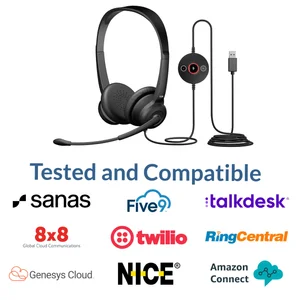
Works with all audio and video conferencing platforms, including Microsoft Teams, Google Meet, Genesys Cloud, Twilio, NICE CXone, Amazon Connect, 8x8, Five9, Talkdesk, RingCentral, and Avaya
All-Day Comfort
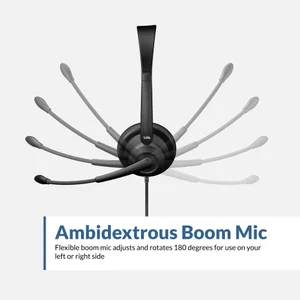
Adjustable headband and small earcups provide a universal, comfortable fit. Ambidextrous microphone boom designed to be worn with the microphone on the left or right side. Easy to clean leatherette earpads are double-stitched for durability
Tethered USB Audio Controller
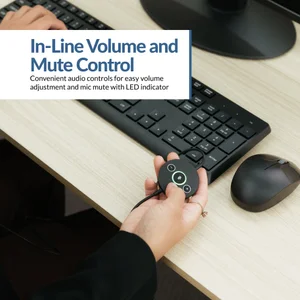
In-line controller includes convenient audio controls for easy volume adjustment and mic mute with LED indicator. Plug and play USB-A connection to your PC or Mac, no drivers required
Included in the Box
AC-204ENC II headset, reusable storage bag, and user guide. One year warranty with US based support
Specifications
USB-A
Over the head and adjustable
100–16kHz
8 feet
In-line volume and mic mute
Mic Mute
Yes
USB-A equipped computers and laptops
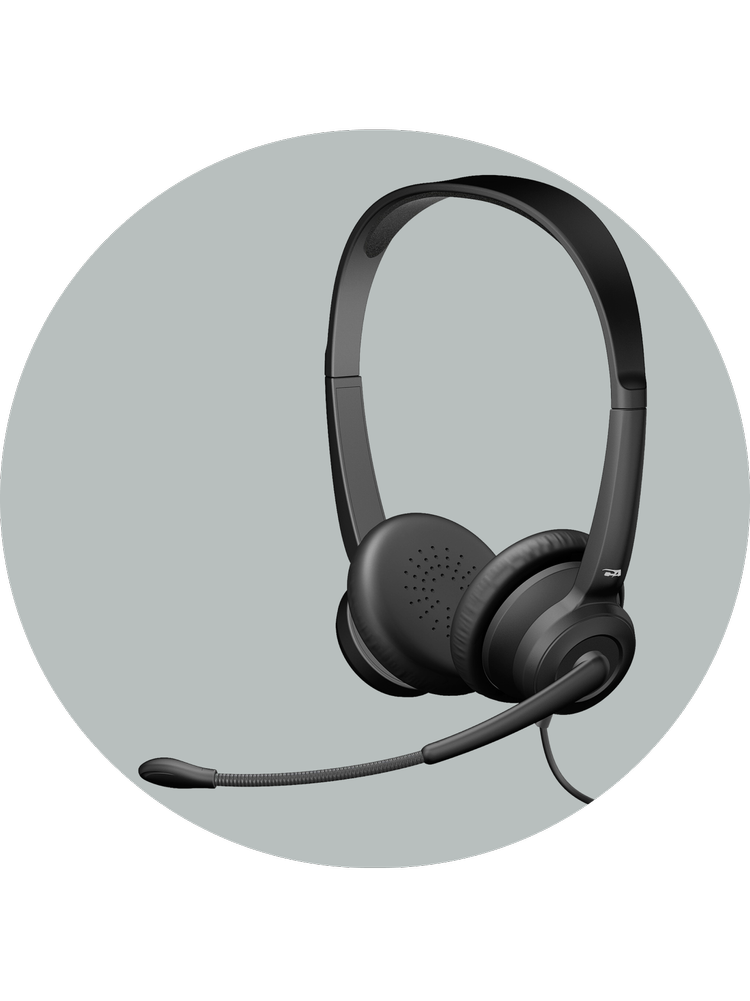
Noise-Canceling Microphone
Environmental Noise Cancelation (ENC) uses two microphones and an advanced algorithm to minimize noise for clear customer calls
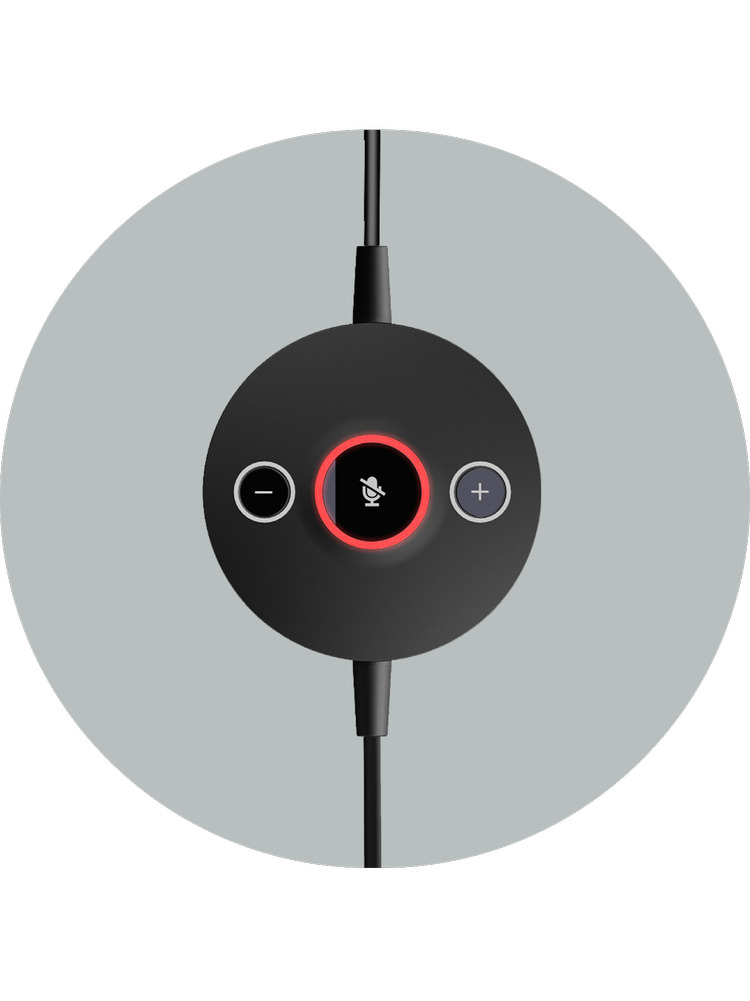
In-Line Controls
Quickly change volume and mute with the click of a button. No need to open sound settings
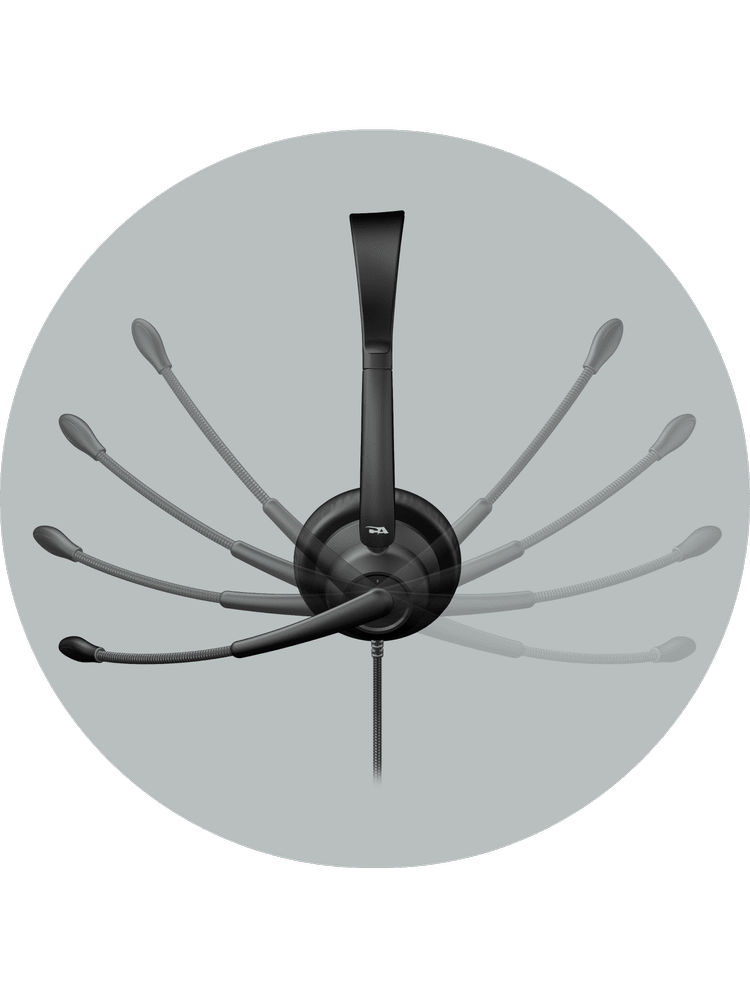
Versatility and Comfort
With an adjustable headband and easy-to-clean leatherette earpads, the AC-204ENC II features an adjustable boom microphone, allowing you to wear the microphone on either side of your head
| Logo | Platform | Agent Headset | Testing Requirements | Headset Requirements | General Requirements |
|---|---|---|---|---|---|

|
Genesys Cloud (CCaaS platform) | AC-204TR, AC-204ENC II, AC-304TR, AC-304 | Hardware Vendor Integration and Managed Test Program | Headset Recommendations | Standard USB Headset with optional custom integration for mute & call controls |

|
Twilio (Programmable communications) | AC-204TR, AC-204ENC II, AC-304TR, AC-304 | Headset Vendor Self Test | Headset Information | Standard USB Headset |
|
NICE CXone (CCaaS platform) | AC-204TR, AC-204ENC II, AC-304TR, AC-304 | Headset Vendor Self Test | Headset Information | Standard USB Headset |
|
Amazon Connect (Cloud contact center) | AC-204TR, AC-204ENC II, AC-304TR, AC-304 | Headset Vendor Self Test | Headset Requirements | Standard USB Headset |

|
8x8 (Unified communications) | AC-204TR, AC-204ENC II, AC-304TR, AC-304 | Headset Vendor Self Test | Headset Information | Standard USB Headset |

|
Five9 (Cloud contact center) | AC-204TR, AC-204ENC II, AC-304TR, AC-304 | Headset Vendor Self Test with Formal Verification | Headset Recommendations | Standard USB Headset with optional custom integration for call controls |
|
Talkdesk (Cloud contact center) | AC-204TR, AC-204ENC II, AC-304TR, AC-304 | Headset Vendor Self Test | Headset Information | Standard USB Headset |

|
Avaya (Enterprise communications) | AC-204TR, AC-204ENC II, AC-304TR, AC-304 | Not Maintained | Headset Information | Program Not Maintained; Standard USB Headset with legacy support |

|
RingCentral (Unified communications) | AC-204TR, AC-204ENC II, AC-304TR, AC-304 | Headset Vendor Self Test | Headset Recommendations | Standard USB Headset with optional call controls |
|
Sanas (Voice personalization) | AC-204TR, AC-204ENC II, AC-304TR, AC-304 | Managed Test Program | Headset Information | Standard USB Headset |
Common Questions About Call Center Headsets
Why isn’t the noise cancelation working on my headset microphone?
If background noise is still being picked up, or there is an echo, open your app’s audio settings (Teams, Zoom, Meet, etc.) and confirm the AC-204ENC is selected as the microphone input, not your laptop’s built-in mic. Then position the microphone 1 to 2 inches from your mouth with the boom facing your mouth rather than outward. ENC reduces steady background noise but may not fully eliminate sudden or sharp sounds.
What is Environmental Noise Cancelation (ENC)?
ENC uses dual microphones and digital signal processing to reduce steady background noise, helping your voice sound clearer during calls. It is effective against consistent low-frequency sounds like fans or office noise, but it may not eliminate sudden or high-pitched sounds such as barking dogs, alarms, or keyboard clatter.
Does this headset require drivers?
No. These headset models use the standard USB audio drivers built into Windows, macOS, and ChromeOS. No additional software installation is required.
Will this headset work with a Mac or Chromebook?
Yes. These headset models are compatible with systems that support standard USB audio devices, including Windows, macOS, and ChromeOS.
Does this headset have a 3.5mm connection?
No. The AC-204ENC II, AC-204ENC II-F, and AC-104ENC II models connect via USB-A, and the AC-204ENC II-C connects via USB-C.
Can I use this headset with PlayStation, Xbox, or Nintendo consoles?
No. These headset models are designed for computers and USB-enabled devices that support standard USB audio. They are not intended for gaming consoles and may not function properly with them.
Why can’t I hear myself through the microphone?
The headset does not enable microphone monitoring (sidetone) by default. If this feature is needed, it can usually be enabled through your computer’s sound settings.
Others can’t hear me during calls. What should I check?
Windows privacy settings can block the microphone. Open Settings, go to Privacy & Security, select Microphone, make sure Microphone access is on, and confirm your communication app is allowed to use the microphone. To verify the mic itself, go to Settings then Sound, select the AC-204ENC Microphone under Input, and speak. If the input level bar moves, the microphone is working.
My computer isn’t detecting the headset. How do I fix it?
Unplug the headset, restart the computer, then plug the headset back in after Windows loads and wait a few seconds for the USB audio device to initialize. If that doesn’t work, try a different USB port.
The audio sounds distorted. What causes that?
Windows audio enhancements can cause distortion. Open Control Panel, go to Sound, select the AC-204ENC speakers, click Properties, open the Enhancements tab, and check Disable all enhancements.
Why do I hear static or crackling on Windows 11?
Windows 11 can put idle USB ports into a low-power state, which makes the audio clock lose sync and produce static, crackling, or heavy bass. Right-click the Start button and select Device Manager, expand Universal Serial Bus controllers, open Properties on each USB Root Hub, go to the Power Management tab, and uncheck “Allow the computer to turn off this device to save power.”
Can the microphone boom be rotated?
Yes. The boom is flexible and ambidextrous, so it can be worn on either side. Position the microphone 1 to 2 inches from your mouth with the microphone opening facing your mouth, and avoid twisting the boom excessively to prevent damage.
Can I turn the mute beep off?
Yes. Long press the mute button to toggle it. The green LED flashes twice when the beep is enabled and the red LED flashes twice when it is disabled. Other hidden controls:
- Long press both volume up and volume down to disable or enable the mute function.
- Press the mute button three times to reset the headset.
- Long press both mute and volume up to disable or enable ENC.
Can I use this headset with Krisp or Sanas noise cancelation software?
Yes. The ENC in this headset is less aggressive than a DSP dongle solution, so it leaves more of the original audio in the processed signal and generally holds up well when a second noise cancelation algorithm is applied on top of it. If audio sounds muffled or thin, set the AC-204ENC as the microphone input in your softphone instead of the Krisp or Sanas virtual mic.
What applications is this headset optimized for?
These headset models work well with Microsoft Teams, Zoom, Google Meet, Cisco Webex, Messenger, and the softphones used in contact centers. Because they use standard USB audio, they work with most communication platforms.
How do I clean the headset?
Clean the headset with alcohol wipes only. Do not spray liquid on the headset. The AC-204ENC II ships with wipeable leatherette earpads, and replaceable foam earpads are available on the AC-204ENC II-F.