AC-304 (The world's best headset for customer calls)

USB-A Headset with AI Noise Cancelation for Crystal Clear Calls from Anywhere

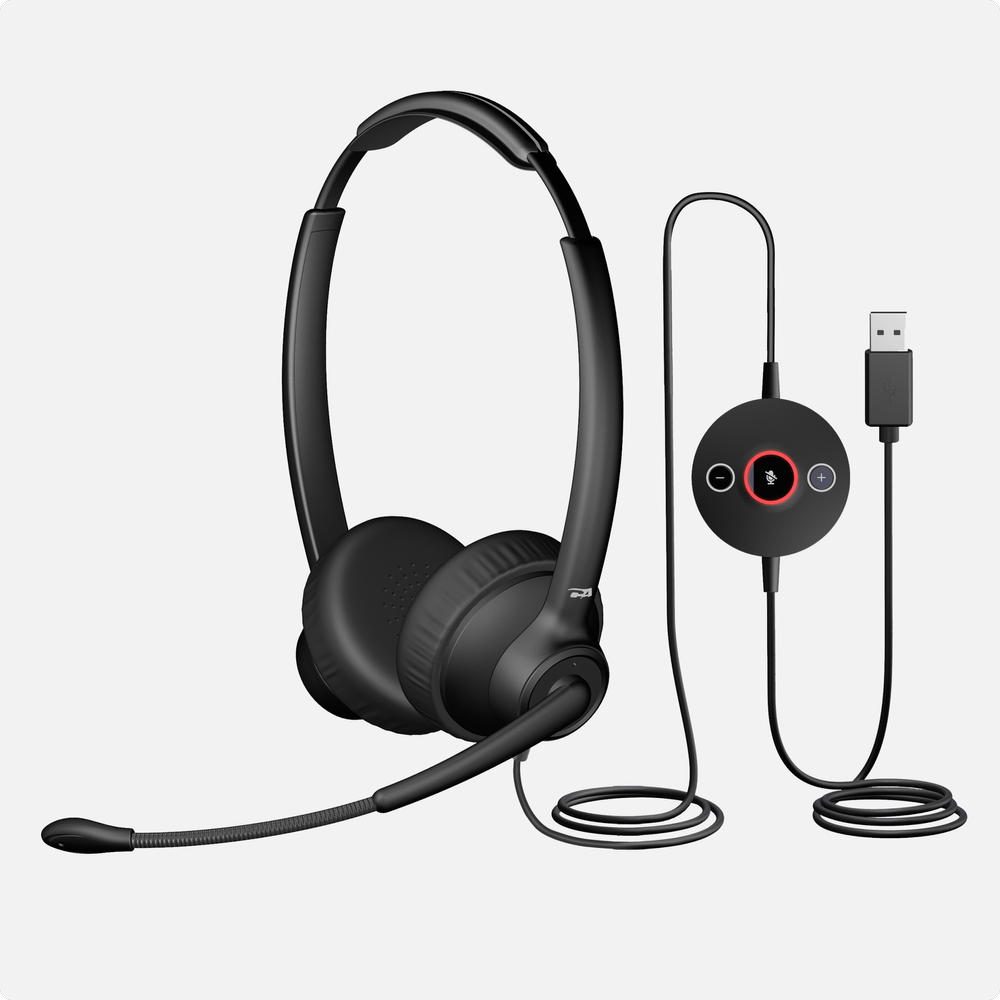
The AC-304 USB-A Headset with AI Noise Cancelation offers complete environmental noise cancelation (ENC), ensuring colleagues, customers, friends, or family hear only your voice, no matter what is going on around you. Work from anywhere with this ultra-lightweight headset, including coffee shops, airports, noisy offices, or home. The tethered audio controller will not get lost and provides easy access to volume and mic mute. Optimized to work with your video conferencing or chat application of choice

Superior Call Quality
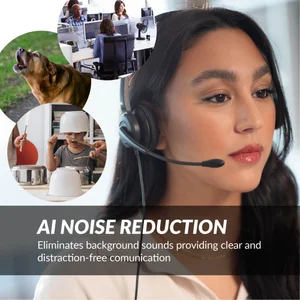
Perfect for noisy environments such as bustling offices, co-working spaces, coffee shops, airports, or working from home, the AC-304 delivers AI microphone noise cancelation so powerful that it eliminates all background noise, ensuring your calls are crystal clear for colleagues, customers, family, and friends. AI noise cancelation technology blocks airport noise, barking dogs, babies crying, fans, and any other background noise
Platform Compatibility
Works with all audio and video conferencing platforms, including Microsoft Teams, Google Meet, Genesys Cloud, Twilio, NICE CXone, Amazon Connect, 8x8, Five9, Talkdesk, RingCentral, and Avaya. The AC-304 with AI noise cancelation technology is designed for the most demanding environments
All-Day Comfort
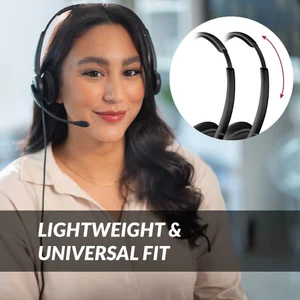
The AC-304 features an ultra-lightweight design, weighing just 72 grams or 2.6 ounces. Soft earpads made with a bio-leatherette material provide a cooling sensation on the ear, making it comfortable to wear all day
Tethered USB Audio Controller
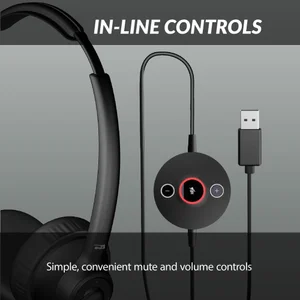
The in-line controller includes convenient audio controls for easy volume adjustment and mic mute with an LED indicator. The cable is 8 feet in length (3 feet of cable from controller to USB plug and 5 feet of cable from controller to headset). It features a plug-and-play USB-A connection to your PC or Mac, with no drivers required
Included in the Box
Cyber Acoustics AC-304 Headset with AI Noise Cancelation, carry bag, and user guide. Includes 1-year warranty. Our US-based customer service team is here to help

Experience Powerful Environmental AI Noise Cancellation

AI Noise Cancellation - Off
AC 304 USB-A Headset with AI Noise Reduction for Contact Centers and BPOs

Specifications

USB-A
Over the head and adjustable
Unidirectional mic – boom
Omnidirectional mic – outer earcup
100Hz–16kHz
270° rotation for left or right side wear
Flexible/bendable construction
6-inch boom length
LED mute indicator
Bio-leatherette
18mm cushion thickness
75g without cable
120g with cable
8ft total (5ft headset to controller, 3ft controller to USB)
Voice: 20Hz–6,800Hz
Music: 20Hz–20kHz
Volume up/down and mic mute/unmute with LED indicator
Windows, Mac, Chrome OS
Microsoft Teams, Skype, Genesys CX, NICE, RingCentral, Cisco, and more
CE, FCC, ICES-003, WEEE, RoHS, CA65
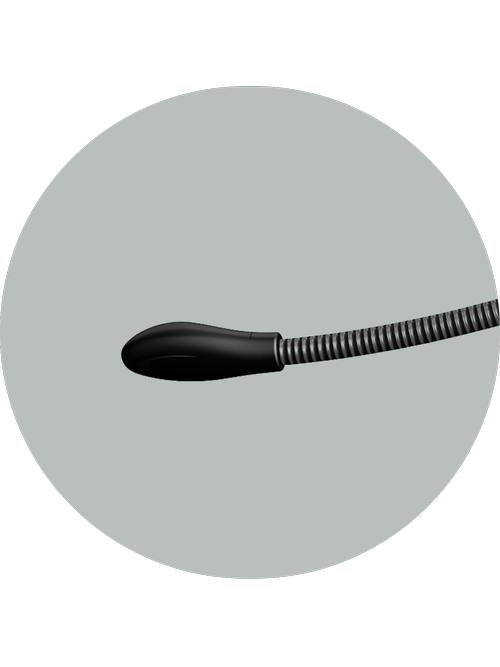
Close-up of the AC-304 boom microphone positioned near the mouth, illustrating AI noise-canceling capability

AI Noise-Canceling Microphone

AI noise-cancelation blocks office chatter, pet sounds, and city noise to deliver crisp, distraction-free calls in the office, at home, or on the go
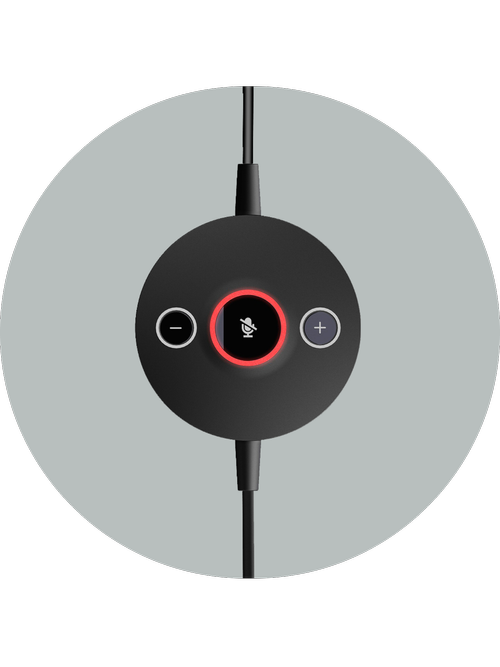
Close-up of the AC-304 in-line controller showing volume and mute buttons with LED mute status indicator

In-Line Controls

Quickly change volume and mute with a click

AC-304 headset showing adjustable headband and bio-leatherette earpads for all-day comfort

Versatility and Comfort

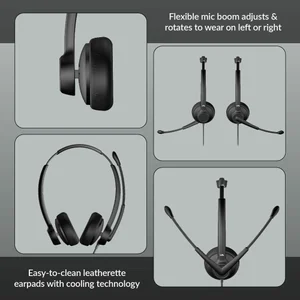
With an adjustable headband and easy-to-clean leatherette earpads, the AC-304 features an adjustable boom microphone, allowing you to wear the microphone on either side of your head

Platform Agent Headset Testing Requirements Headset Requirements General Requirements
Genesys Cloud (CCaaS platform) AC-204TR, AC-204ENC II, AC-304TR, AC-304 Hardware Vendor Integration and Managed Test Program Headset Recommendations Standard USB Headset with optional custom integration for mute & call controls
Twilio (Programmable communications) AC-204TR, AC-204ENC II, AC-304TR, AC-304 Headset Vendor Self Test Headset Information Standard USB Headset
NICE CXone (CCaaS platform) AC‑204TR, AC‑204ENC II, AC‑304TR, AC‑304 Headset Vendor Self Test Headset Information Standard USB Headset
Amazon Connect (Cloud contact center) AC‑204TR, AC‑204ENC II, AC‑304TR, AC‑304 Headset Vendor Self Test Headset Requirements Standard USB Headset
8x8 (Unified communications) AC‑204TR, AC‑204ENC II, AC‑304TR, AC‑304 Headset Vendor Self Test Headset Information Standard USB Headset
Five9 (Cloud contact center) AC‑204TR, AC‑204ENC II, AC‑304TR, AC‑304 Headset Vendor Self Test with Formal Verification Headset Recommendations Standard USB Headset with optional custom integration for call controls
Talkdesk (Cloud contact center) AC-204TR, AC-204ENC II, AC-304TR, AC-304 Headset Vendor Self Test Headset Information Standard USB Headset
Avaya (Enterprise communications) AC‑204TR, AC‑204ENC II, AC‑304TR, AC‑304 Not Maintained Headset Information Program Not Maintained
Standard USB Headset with legacy program for optional custom integration for call controls
RingCentral (Unified communications) AC-204TR, AC-204ENC II, AC-304TR, AC-304 Headset Vendor Self Test Headset Reccomendations Standard USB Headset with optional custom integration for call controls
Sanas (Voice personalization) AC‑204TR, AC‑204ENC II, AC‑304TR, AC‑304 Managed Test Program Headset Information Standard USB Headset

Download Table as PDF

Common questions about call center headsets

How should I adjust the microphone?
Adjust the microphone in front of your mouth but not so close it captures breathing. Never cover the microphone with your hand.
Do I need special software for the AI Noise Cancelation?
No software is needed!
Can I use this headset with PlayStation, Xbox, or Nintendo consoles?
This headset is not intended for use with gaming consoles and is designed for use with home computers. Most consoles do not support this headset.
Will the AC-304 work with a Mac or Chromebook?
Yes. The AC-304 uses standard USB audio, so it works with Windows, macOS, and ChromeOS. There are no drivers to install.
Does the AC-304 have a 3.5mm connection?
No. The AC-304 connects by USB-A, and the AC-304C connects by USB-A or USB-C.
What do the LED colors on the in-line control mean?
Red means the microphone is muted and green means it is unmuted. Press the mute button once to mute the mic, then press it again to unmute.
Can I turn off the mute beep?
Yes. Long press the mute button on the in-line control. The green LED flashes twice when the beep is enabled, and the red LED flashes twice when it is disabled. This feature requires headset firmware V22 or later.
Why can’t I hear my own voice through the headset?
The AC-304 does not turn on microphone monitoring, also called sidetone, by default. You can usually enable it in your computer’s sound settings.
Others can’t hear me on calls. What should I check?
Open Windows Settings, go to Privacy & Security, select Microphone, and confirm microphone access is on for your calling app. Then open your app’s own audio settings and set the AC-304 as both the speaker and the microphone.
Which apps is the AC-304 designed to work with?
The AC-304 works well with Microsoft Teams, Zoom, Google Meet, Cisco Webex, Messenger, and the softphones used in contact centers. Because it uses standard USB audio, it works with most communication platforms.
Is the AC-304 suitable for call centers?
Yes. It is built for professional communication and contact center use, with an AI Environmental Noise Cancelation microphone, a lightweight design for long shifts, USB plug-and-play compatibility, and durable construction for daily operation.
Can I use the AC-304 with Krisp, Sanas, or other noise cancelation software?
We do not recommend it. The AC-304 removes background noise on the headset itself, so running a second noise cancelation program on top of it can leave your voice sounding muffled. Turn the software noise cancelation off, or choose the AC-204ENC if that software is required.
My audio crackles or drops out on Windows 11. How do I fix it?
Windows 11 USB power saving is the usual cause. Open Device Manager, expand Universal Serial Bus controllers, open Properties on each USB Root Hub, go to the Power Management tab, and uncheck the option that lets the computer turn off the device to save power.
How do I clean the headset?
Clean it with alcohol wipes only, and never spray liquid onto the headset. The leatherette earpads wipe clean.
Can I wear the microphone on either side?
Yes. The boom is ambidextrous, so you can wear the mic on your left or your right. Keep it 1 to 2 inches from your mouth with the opening facing you, and avoid twisting the boom excessively.

Explore Our Professional Headsets

AC-104ENC mono USB call center headset with ENC and in-line controls AC-104ENC

Mono USB Headset with ENC and In-Line Controls

Loading price...
AC-204ENC II stereo USB enterprise headset with ENC and in-line controls AC-204ENC II

Stereo USB Headset with ENC and In-Line Controls

Loading price...
AC-304C USB-C headset with AI noise cancelation AC-304C

USB-C Headset with AI Noise Cancelation

Loading price...
AC-404 professional USB-A and USB-C headset with AI noise cancelation AC-404

Professional USB Headset with AI Noise Cancelation

Loading price...
HS-1500BT II wireless Bluetooth headset with AI noise cancelation HS-1500BT II

Wireless Headset with AI Noise Cancelation

Loading price...

Home > Headsets > USB Professional Headset with AI Noise Cancelation (AC-304)